I want to start with a confession. I built ToolNexIn — a site with 38+ free online tools for developers, marketers, and creators — and even I sometimes forgot which tool was called what. Is it "Case Converter" or "Text Case Converter"? Is the QR code tool under Marketing or Developer? I built the thing and still spent time browsing my own navigation.
That's a product failure. If the person who built it is confused, users who visit for the first time have no chance of navigating efficiently. They either know the exact tool name, or they waste 30–45 seconds scrolling, guessing, and clicking. For a site whose entire purpose is to save you time, that's embarrassing.
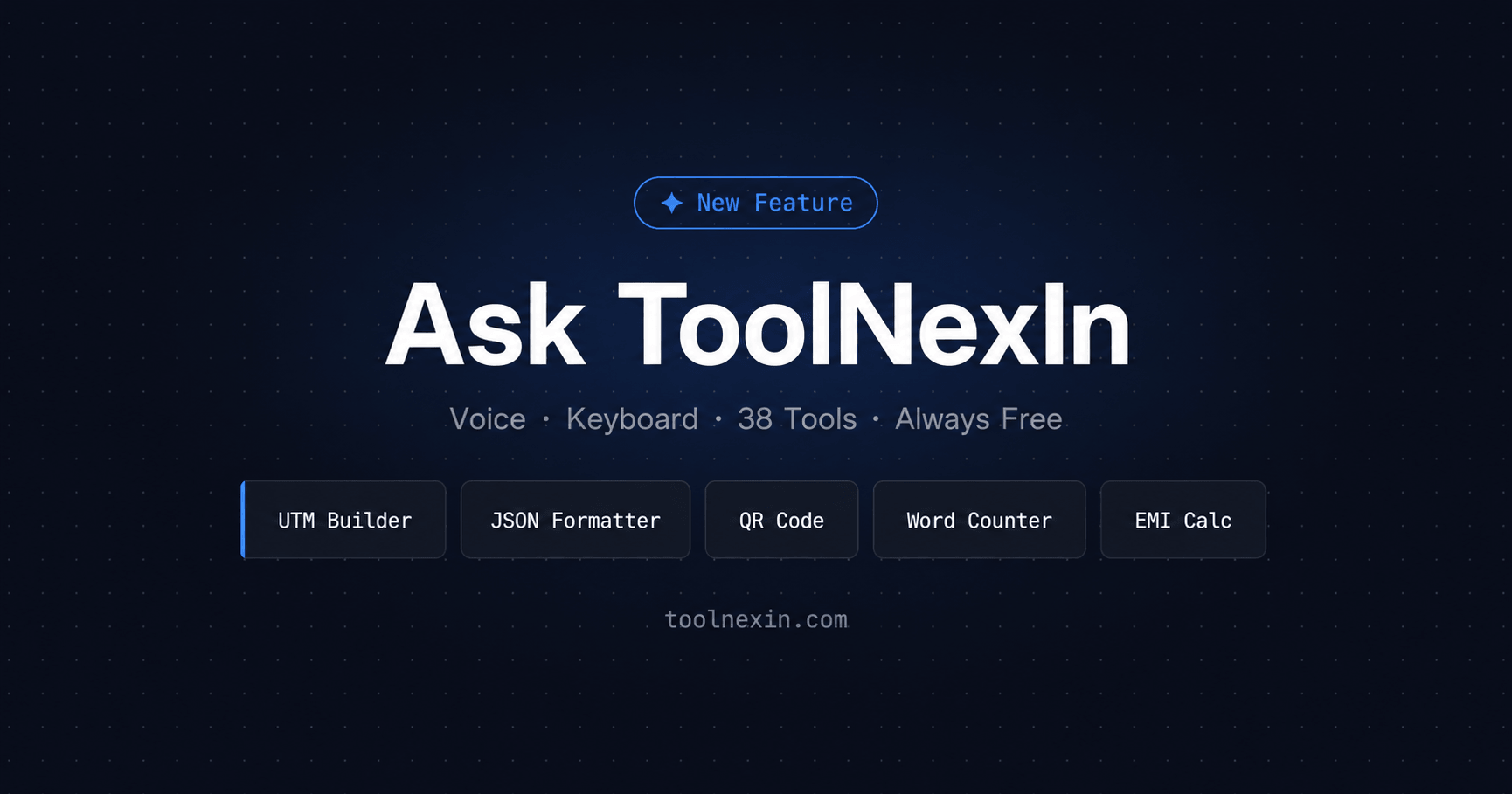
So I built something about it. Today I'm introducing Ask ToolNexIn — a voice and keyboard-powered AI intent layer that lets you find any tool by saying or typing what you need in plain language, and routes you there in under two seconds. This post explains exactly how it was built, why it works the way it does, and where it's going next.
The Problem With Tool Sites Nobody Talks About
Every free tools website — ToolNexIn included, before today — has the same architecture: a grid of tools, maybe a category filter, maybe a search box. You browse, you find, you click. This works fine if you visit occasionally. But if you're a developer who uses three or four tools every day, or a marketer who runs campaign setups weekly, the browse-and-click model has real friction cost.
Let's actually measure it. The average time from "I need the UTM Builder" to having the UTM Builder open and ready to use, on a standard tool directory, goes like this:
- Remember which tool you need — and its exact name on this particular site
- Navigate to the homepage or find a bookmark
- Scroll through the tool grid or category tabs
- Find and click the correct tool
- Fill in all the form fields manually from scratch
That's 40–60 seconds for a task that takes 5 seconds once you're actually in the right tool. Multiply that across 10 tool sessions a day and you're burning 6–10 minutes daily on pure navigation overhead. For a site whose entire job is to save you time, that's not acceptable.
Search boxes on tool sites don't fix this either. They require you to type the tool's exact name — which means you already need to know what it's called. "UTM builder" works. "Track my campaign link" returns nothing. That's keyword search, not intent search. There's a meaningful difference, and it's the gap Ask ToolNexIn was built to close.
"The real cost of a tool site isn't the tool — it's the distance between needing something and getting it. Every second of friction is a second stolen from the work you actually came to do."
— Rahul Soni, Founder of ToolNexIn
What Ask ToolNexIn Actually Is
Ask ToolNexIn is an intent resolution system with two input modes and four matching layers, built directly into every page of ToolNexIn.com.
You activate it two ways. First, tap the blue microphone button that floats at the bottom-right corner of any page. Second, press Ctrl+K anywhere on the site — or Cmd+K if you're on a Mac.
Once it's open, you describe what you want in natural language. Not a tool name — what you actually want to accomplish. "I need to track where my Instagram traffic is coming from." "Help me make my CSS file smaller." "What's the IP address of this domain?" The system understands all of those and sends you directly to the right tool.
What makes this genuinely different from a search box is that it matches your intent against what each tool does — using a 500+ phrase intent library and fuzzy matching — rather than matching your words against tool names. It understands that "make my JSON readable," "beautify JSON," and "format JSON" are all the same request.
The result isn't just a link to a tool page. It's a direct redirect with relevant parameters pre-filled from your query when possible. Ask it to "track my Google paid campaign" and the UTM Builder opens with source=google and medium=cpc already set. You land ready to work, not starting over from scratch.
How It Works: The Four-Layer Intent Engine
The matching engine that powers Ask ToolNexIn has four distinct layers. Each one catches what the previous might miss. Here's how each layer works under the hood.
Layer 1: Web Speech API Capture
Voice input is captured using the browser's native Web Speech API — specifically window.SpeechRecognition on Chrome and Edge. This is a zero-dependency approach. No external speech service, no API key, no server cost. Your browser handles voice-to-text conversion entirely on your own device.
The settings are tuned differently for Android versus desktop, because the Web Speech API behaves differently across environments. On Android, interim results are disabled and maxAlternatives is set to 5 — the engine picks from five possible transcriptions rather than committing to the first. On desktop Chrome, interim results are enabled so you see the transcript updating live as you speak, word by word.
The language is automatically set to match the user's browser language. This is also the foundation for the multilingual support currently being built.
Layer 2: Exact Phrase Matching with Weighted Scoring
Once the transcript arrives, it runs against an intent library — a curated database of 15 to 30 natural language phrases for every single tool on ToolNexIn. Every tool gets a confidence score. The scoring logic rewards longer phrase matches more than shorter ones, because a multi-word phrase match is a much stronger signal of intent.
So "track my campaign" — three words — scores 6 points on the UTM Builder, while just "track" alone scores 2. A query like "I need to track my email campaign from LinkedIn" confidently surfaces UTM Builder at the top, even though most words in that sentence don't directly match any intent phrase.
Each tool's 15–30 phrases were written based on how real users describe tasks, not how a developer would name a feature. "Make my link trackable," "build a tracking URL," and "UTM parameters" are all in there. Multiple ways people say the same thing, because they do say it differently every time.
Layer 3: Levenshtein Fuzzy Matching for Typos
Speech-to-text is imperfect. Accents, background noise, and the way certain words get misheard all introduce errors that exact matching can't handle. If you say "formatter" and the browser hears "formater," exact matching gives you nothing. This is where fuzzy matching steps in.
The engine uses Levenshtein distance — the minimum number of single-character edits needed to transform one word into another. It checks every word in your transcript against every keyword in every intent phrase across all 38 tools.
The tolerance scales with word length. A 4-character word allows 1 edit. An 8-character word allows 2 edits. This prevents short words from fuzzy-matching things they shouldn't while giving reasonable tolerance for longer technical terms. "Formater" — 7 characters, 1 error — correctly matches "formatter." "Trakc" still passes the threshold and finds "track." This layer only runs when exact matching scores zero, keeping things fast on clean queries.
Layer 4: Did-You-Mean Fallback
Some queries won't score above the confidence threshold even after fuzzy matching. Maybe the request was too vague, or used vocabulary completely outside the tool library. Previously this produced a dead-end error: "No tool matched — try rephrasing." That's the worst thing a product can say to a user. You came here for help and got a wall.
The new fallback changes this entirely. When the top score is below threshold, the engine doesn't fail — it surfaces the three highest-scoring tools as tappable suggestion cards. Users always have a next step. The message changes from "we couldn't help you" to "here's what we think you might need."
It's a small change in code but a large change in the experience of using the product. Dead ends destroy trust. The Did-You-Mean system eliminates them.
The Ctrl+K Command Palette: Because Voice Isn't Always an Option
Voice search has a real limitation: it doesn't work in quiet offices, open-plan workspaces, or anywhere you'd rather not speak out loud. It also doesn't work on Firefox or Safari, which don't support the Web Speech API. And plenty of people simply prefer typing to speaking.
The Ctrl+K command palette solves all of this. Press the shortcut anywhere on ToolNexIn and a search-style modal opens with a text input. The exact same intent engine runs on your typed text. Live-filtered results appear as you type. Navigate the list with your arrow keys, press Enter to go, press Escape to close.
The keyboard shortcut hint is displayed directly on the floating mic button so users discover it without being told. Power users of Notion, Linear, Raycast, and similar tools already have this reflex — reach for Ctrl+K when you want to get somewhere fast. We brought that same muscle memory to a free tools site where it actually matters for daily productivity.
A note on browser support: voice mode requires Chrome or Edge. The Ctrl+K palette works in every modern browser including Firefox and Safari.
Smart Parameter Pre-filling: The Feature That Saves the Most Time
Getting you to the right tool is half the job. Making sure you arrive ready to work is the other half. Context extraction — pulling relevant data from your voice or typed query and passing it to the tool as URL parameters — is what makes Ask ToolNexIn feel like a genuine assistant rather than just a smart search bar.
Here's what this looks like in practice for the UTM Builder:
- "track my Google email campaign" opens /utm-builder?source=google&medium=email
- "track my Facebook ad" opens /utm-builder?source=facebook&medium=cpc
- "track my LinkedIn organic post" opens /utm-builder?source=linkedin&medium=organic
- "convert to snake case" opens /case-converter?case=snake
Instead of opening the UTM Builder and manually selecting from dropdowns, you arrive with source and medium already chosen. For a marketer who creates three to five UTM links a day, this removes the most repetitive part of the workflow entirely. You came to ToolNexIn to do something — Ask ToolNexIn gets you there and sets the table before you sit down.
Do You Know? What UTM parameters are and how they work
More tools are being connected to this context extraction system as part of ongoing development. The goal is that for any tool where your query contains useful context, you never have to repeat yourself to the form.
Privacy: What Happens to Your Voice Data
This question matters. When people hear "voice AI," they immediately think: is my microphone being recorded? Is this being sent to a server somewhere?
The architecture of Ask ToolNexIn was designed to make the answer unambiguous. Your voice never leaves your browser.
The Web Speech API converts your audio to text entirely on-device, using the browser's own built-in speech recognition engine. ToolNexIn never receives, processes, or stores your audio. The only thing that happens server-side is the page redirect after a match is found — and that's just a normal navigation event, the same as clicking any link on the site.
We don't log voice queries. We don't record audio. We don't have a server-side pipeline that touches your voice input at all. There's no database of what you said, because the data never reaches us.
You can verify this yourself. Open your browser's DevTools, go to the Network tab, filter for XHR and Fetch requests, then speak into Ask ToolNexIn. You'll see zero outbound requests related to your voice. The only network activity is the page navigation to the target tool URL.
This is privacy by architecture, not privacy by policy. There's nothing to breach on our end because there's nothing there.
Real Usage Examples: Queries That Work
The best way to understand what Ask ToolNexIn can handle is to see the range of queries it was tested with. These are real phrases from the test suite, not cherry-picked ideal cases.
Marketing and campaign work:
- "I want to track where my traffic comes from" → UTM Builder
- "Build a campaign link for my Facebook ad" → UTM Builder
- "Create a scannable link for my business card" → QR Code Generator
- "Make my URL shorter to share on Twitter" → URL Shortener
- "How does my link look when shared on social media" → Link Preview Extractor
- "Download the thumbnail from this YouTube video" → YouTube Thumbnail Downloader
Developer tasks:
- "Make my JSON readable" → JSON Formatter
- "Convert my API response to a spreadsheet" → JSON to CSV Converter
- "Encode this image as a base64 string" → Image to Base64
- "Generate a unique identifier for my database" → UUID Generator
- "Make my JavaScript smaller" → Code Minifier
- "Hash this text with SHA256" → SHA256 Hash Generator
- "Find the IP address of a website" → Domain to IP
Productivity and writing:
- "How long is my blog post" → Word Counter
- "Make all my text uppercase" → Case Converter
- "What time is it in London right now" → Time Converter
- "How old am I from my date of birth" → Age Calculator
- "Find what's different between these two texts" → Text Difference Checker
- "Generate some placeholder text for my design" → Mock Text Generator
Finance:
- "Calculate my home loan monthly payment" → EMI Calculator
- "What percentage of 450 is 90" → Percentage Calculator
- "Find the average of a list of numbers" → Average Calculator
Fuzzy matching catching real typos:
- "trakc my campain" → UTM Builder ✓
- "jsno formater" → JSON Formatter ✓
- "wrod counter" → Word Counter ✓
- "genrate QR code" → QR Code Generator ✓
- "percentge calculater" → Percentage Calculator ✓
How It Compares to Other Tool Sites
Voice and keyboard command palettes exist in professional productivity tools like Notion, Linear, and Figma. What's genuinely new is bringing this to a free utility tools site — a category that has been stuck on grid layouts and category filters for its entire existence. No other free tools site has shipped a voice intent layer. This is a first.
The comparison that matters most isn't against other tool sites — it's against the habit most people have already built: opening a new tab and Googling "utm builder" or "json formatter online." Ask ToolNexIn is faster than that. You're already on ToolNexIn, every tool is already indexed in the intent engine, and the match happens in under two seconds. No new tab, no ads, no results page to scan, no clicking through to the tool after you find it. You go from need to tool in one sentence.
For developers and marketers who use ToolNexIn regularly, this is the difference between reaching for your keyboard every time and just saying what you need.
What We're Building Next
Ask ToolNexIn launched with four shipped capabilities: voice search, the Ctrl+K command palette, Levenshtein fuzzy matching, and Did-You-Mean suggestions. Here's what comes next.
Currently building: Multi-language support. The Web Speech API already transcribes in the user's browser language. What's being built now is the intent phrase library in Hindi and other languages. Indian users make up a significant portion of ToolNexIn's traffic, and "UTM link banao" should work as fluently as "create UTM link." The matching engine itself is language-agnostic once the intent phrases exist in that language.
Planned: Voice feedback using Text-to-Speech. When a tool is matched today, the widget shows a visual confirmation. The next step is spoken confirmation — "Opening UTM Builder" played back through the browser's SpeechSynthesis API. This closes the voice loop and makes the experience feel like a real assistant rather than a voice-activated search box.
Planned: Multi-step commands. "Create a UTM link for my Facebook ad and generate a QR code for it." The engine would detect two tools, open UTM Builder first, then handle QR code generation with the result. Marketers need this sequence constantly — it's one of the most common two-tool workflows on the site.
Planned: Anonymous query analytics. Aggregated data on which voice commands succeed and which fail tells us exactly which intents to add and which new tools to prioritize building. This will be built with privacy in mind — no individual query logging, only aggregate pattern analysis at the category level.
The Bottom Line
Ask ToolNexIn is the answer to a problem that every frequent user of online tools experiences but rarely names: the gap between knowing what you need and getting to it. That gap is friction. Friction costs time. Time is the one resource a productivity tool should never waste.
Voice and keyboard navigation aren't gimmicks here — they're the correct architectural response to how people actually use tool sites when they use them often. If you open ToolNexIn three times a day, the 40-second browse-and-click process costs you two minutes daily. Over a year, that's twelve hours of navigation overhead on a site you visit specifically to save time. Ask ToolNexIn eliminates most of that.
Everything you need is already on ToolNexIn - 38+ tools, all completely free, no account required. Ask ToolNexIn just makes sure you can reach any of them before you finish saying what you need.
Try it now. Click the blue mic button at the bottom-right of this page, or press Ctrl+K, and say something like "track my campaign" or "format my JSON." If it doesn't understand you, that's a bug — use the contact form to tell me exactly what you said and what you expected. I read every message, and I build what users actually need.
Published by Rahul Soni — Founder & Developer, ToolNexIn
Have a tool suggestion? Contact us