AI writing tools have completely changed the game in education. Students now have instant access to ChatGPT, Gemini, Claude, and dozens of other AI assistants that can write essays, solve problems, and complete assignments in seconds. While these tools can be incredible learning aids when used properly, they've also created a major challenge for teachers everywhere: how do you tell if a student actually wrote their own work?
If you're a teacher reading this, you've probably already encountered this problem. Maybe you've gotten a perfectly polished essay from a student who usually struggles with grammar. Or perhaps you've noticed that everyone's writing suddenly sounds eerily similar. You're not imagining things—AI-written homework is becoming incredibly common.
Here's the reality: those AI detector websites everyone talks about? They're not nearly as reliable as people think. They frequently flag genuine student work as AI-generated, creating uncomfortable conversations and unfair accusations. At the same time, they often completely miss actual AI content, especially when students have learned to reword or modify it slightly.
So what's the answer? Instead of relying on unreliable detection software, teachers need to understand writing behavior analysis. This means looking at patterns, structure, consistency, and style in student work. It means developing an eye for what real student writing looks like versus what AI produces.
In this comprehensive guide, we'll walk through practical, real-world methods you can use to identify AI-generated assignments. We'll also show you how free writing analysis tools from ToolNexIn can support this process—giving you data and insights instead of guesswork.
Why Detecting AI-Written Work Is So Challenging
Before we dive into detection methods, let's understand why this is such a difficult problem in the first place.
Modern AI writing tools have become incredibly sophisticated. They don't just string together awkward sentences anymore. Today's AI can:
- Produce grammatically flawless content that would make an English teacher proud
- Maintain consistent sentence structure throughout an entire essay
- Adapt tone and style to match different writing contexts
- Generate ideas that sound reasonable and well-researched
- Mimic human writing patterns better than ever before
This means you can't just look for obvious mistakes or robotic language. AI writing often looks better than what many students can produce on their own. The grammar is perfect. The flow is smooth. Everything seems fine on the surface.
That's exactly what makes it so tricky. There's no single glaring red flag that screams "AI wrote this!" Instead, detection works best when you notice multiple subtle indicators appearing together. It's about recognizing patterns that humans don't naturally create.
Common Characteristics of AI-Generated Assignments
After reading thousands of student papers and AI-generated content, educators have started noticing specific patterns that show up repeatedly in AI writing. These aren't guarantees, but they're strong indicators worth paying attention to.
Unnaturally Consistent Sentence Length
Human writers naturally vary their sentence length. We write short, punchy sentences. Then we follow up with longer, more complex thoughts that develop an idea further. We instinctively create rhythm and variation. AI tools, on the other hand, tend to produce sentences that are remarkably similar in length. When you count the words, you'll often find that most sentences fall within a narrow range—maybe 15-20 words each, over and over again.
Perfectly Balanced Paragraph Structure
Real student writing is messy. One paragraph might be just two sentences. The next might be eight sentences long. Students don't consciously think about making every paragraph the exact same length. But AI does. AI-generated essays often have paragraphs that are suspiciously uniform—each one containing roughly the same number of sentences and words.
Overuse of Neutral or Academic Phrases
AI tends to default to formal, academic language even when it's not necessary. You'll see phrases like "it is important to note," "furthermore," "in conclusion," and "various factors" appearing with unusual frequency. While these phrases aren't wrong, real students don't usually write this formally unless they're specifically trying to sound academic—and even then, they mix in more casual language.
Lack of Personal Examples or Specific Details
Here's a big one: AI writing tends to be generic. When asked to provide examples, AI will give broad, general instances rather than specific, personal stories. A real student writing about why they love reading might mention their worn copy of Harry Potter and the time they stayed up until 3 AM finishing it. AI will say something like "reading provides numerous benefits including entertainment and knowledge acquisition."
Sudden Improvement Compared to Past Work
This is perhaps the most telling sign. If a student who typically struggles with organization and grammar suddenly submits a flawless, sophisticated essay, something has changed. While students can certainly improve, dramatic overnight transformations are rare. Growth happens gradually, not instantly.
These patterns can be measured and analyzed rather than just guessed at based on gut feeling. That's where analytical tools become incredibly valuable.
A Smarter Approach: Writing Analysis Instead of Guesswork
Rather than making accusations or depending solely on unreliable AI detectors, educators can take a more systematic approach. This involves:
- Analyzing readability and complexity patterns throughout the document
- Checking for unnatural consistency in sentence and paragraph structure
- Comparing current work with previous submissions to identify style shifts
- Observing human variation versus machine consistency in writing behavior
This analytical approach gives you actual data to work with. Instead of saying "this feels like AI," you can say "this essay has 47 sentences and 43 of them are between 15-19 words long, which is statistically unusual for human writing."
This is precisely where ToolNexIn's free writing analysis tools become extremely useful for teachers. These tools help you measure what you're observing rather than just trusting your instincts.
Tool-Based Detection Workflow for Teachers
Let me walk you through a practical, step-by-step process you can use when evaluating student work. This isn't about catching students—it's about understanding what you're looking at.
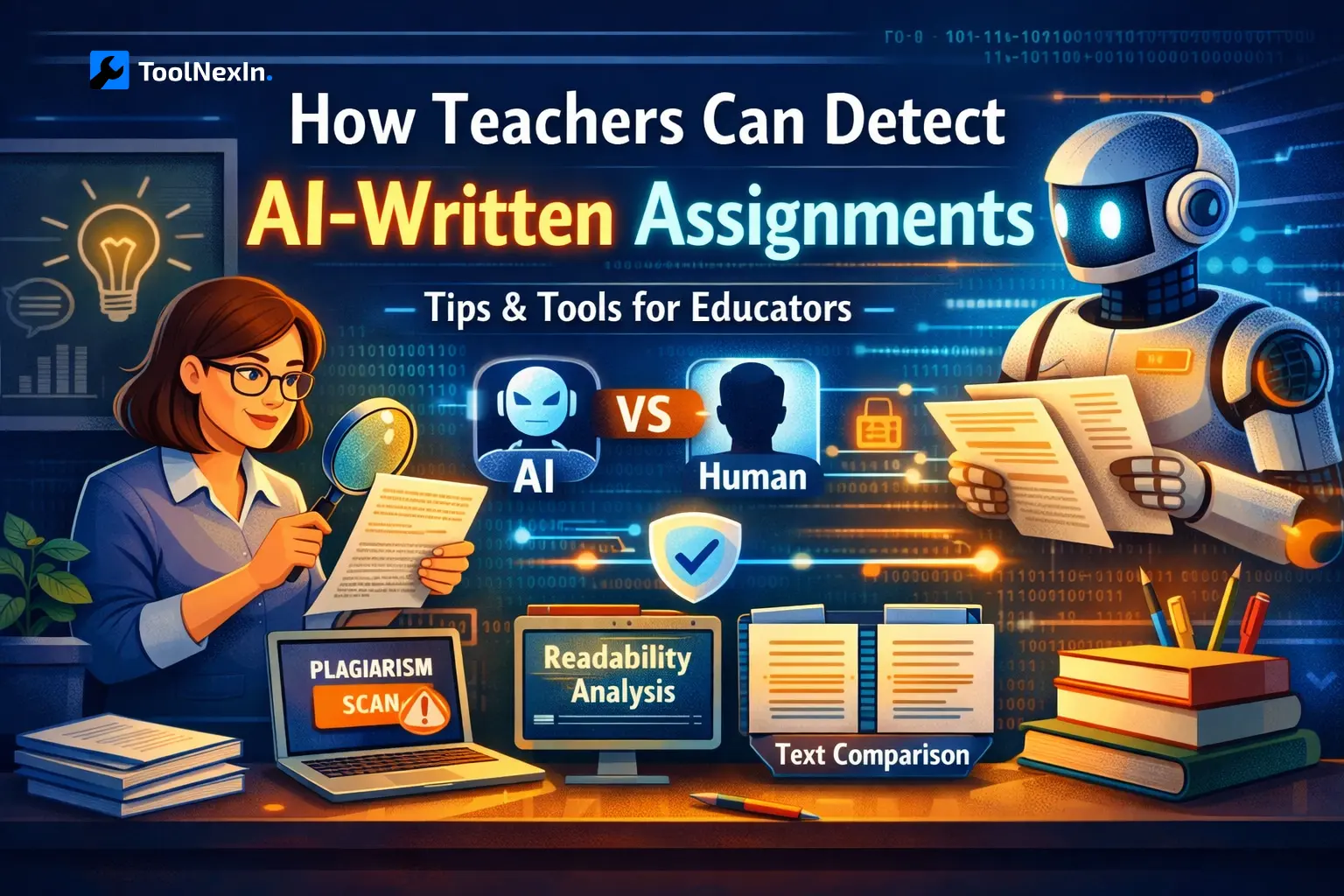
Step 1: Start With the Word Counter Analysis
Tool to Use: Word Counter from ToolNexIn
The first thing you want to do is get basic structural information about the writing. Copy and paste the student's assignment into ToolNexIn's Word Counter tool. This gives you immediate insights into:
- Total word count for the entire assignment
- Total number of sentences used
- Average words per sentence
- Character count and paragraph structure
Now here's what to look for: AI-generated assignments frequently show uniform sentence length and predictable paragraph sizes. When you see that most sentences fall within a very narrow range—say 90% of sentences are between 14-18 words—that's a warning sign.
Human writing is naturally irregular. A student might write "I loved this book." (Four words.) Then follow it with "The way the author developed the main character's relationship with her sister reminded me of my own complicated feelings about my younger brother, especially during the difficult middle school years when everything felt confusing." (Thirty-five words.) That variation is human.
AI writing tends to smooth out these variations. It aims for consistency and balance, which actually makes it less human-like.
Step 2: Check Readability and Writing Complexity
Tool to Use: Readability Score Checker from ToolNexIn
Next, run the text through ToolNexIn's Readability Score Checker. This tool analyzes several important factors:
- Reading grade level required to understand the text
- Sentence complexity and structure patterns
- Overall flow and consistency throughout the document
Here's the key insight: AI content typically maintains a remarkably consistent readability level from beginning to end. Human writing, especially from students, usually fluctuates.
Think about how people actually write. When you're explaining something you really understand, your writing might become more sophisticated. When you're struggling with a concept, your sentences might become simpler as you work through the ideas. When you're sharing an opinion you feel passionate about, the writing might become more casual or emotional.
AI doesn't do this. It picks a complexity level and maintains it throughout the entire piece. If you run a readability analysis on different sections of an AI essay, you'll often find that the reading level barely changes from introduction to conclusion.
Perfect consistency across a long assignment should raise questions. Real student writing shows natural ups and downs in complexity.
Step 3: Compare With the Student's Previous Work
Tool to Use: Text Difference Checker from ToolNexIn
This is honestly one of the strongest detection methods available, and it's something only you as the teacher can do effectively. You have access to the student's previous work—use it.
Pull up two or three of the student's earlier assignments from your class. Then use ToolNexIn's Text Difference Checker to compare them with the current submission. This tool helps you identify:
- Sudden changes in writing style or voice
- Vocabulary shifts (simpler to more complex, or vice versa)
- Tone changes (casual to formal, personal to impersonal)
- Structural differences in how sentences and paragraphs are built
When you compare student work over time, you should see gradual evolution. Maybe their grammar slowly improves. Perhaps their vocabulary expands bit by bit. Their ability to structure arguments might develop progressively.
What you shouldn't see is a sudden, dramatic transformation where everything changes at once. If Student A has been writing casual, somewhat disorganized essays with occasional grammar mistakes all semester, and then suddenly submits a perfectly polished, formally structured piece with advanced vocabulary—something happened.
Large stylistic shifts almost always indicate some form of external assistance, whether that's AI, another person, or heavy editing from someone else.
Step 4: Analyze Natural Human Variation
Tool to Use: Mock Text Generator from ToolNexIn
Here's where things get interesting. ToolNexIn's Mock Text Generator produces human-like, real-word text that demonstrates what natural writing variation looks like. Unlike Lorem Ipsum placeholder text, this generates content that mirrors actual human writing patterns.
You can use this tool to:
- Compare student submissions with authentically human-style text
- Observe the natural imperfections and variations that appear in real writing
- Develop a trained eye for what genuine human writing contains
- Understand how real writing differs from AI-generated polish
The more you read genuinely human text alongside AI-generated content, the easier it becomes to spot the differences. It's like training your eye to recognize patterns. After a while, you start noticing things automatically—"Wait, this is too smooth," or "This doesn't sound like how a teenager actually talks."
This comparison approach helps you build intuition based on actual patterns rather than vague feelings.
Understanding the Differences: Human vs AI Writing Patterns
Let me break down the key differences in a clear, easy-to-reference format:
| Feature | Human-Written Assignments | AI-Written Assignments |
|---|---|---|
| Sentence Length | Highly varied—some short, some long | Very consistent—most fall in narrow range |
| Tone | Personal and emotional, shifts naturally | Neutral and generic, stays uniform |
| Readability | Fluctuates throughout the document | Uniform from start to finish |
| Vocabulary | Contextual, sometimes imperfect | Polished, often repetitive |
| Formatting | Minor inconsistencies and errors | Near-perfect, suspiciously clean |
| Writing Growth | Gradual improvement over semester | Sudden, dramatic leaps in quality |
| Personal Details | Specific examples and stories | Generic, broad statements |
| Voice | Distinctive and recognizable | Sounds like "standard essay voice" |
Keep this comparison in mind as you review student work. No single characteristic proves AI usage, but when you see multiple indicators appearing together, that's when you should take a closer look.
ToolNexIn Writing Analysis Tools: Your Complete Toolkit
Let me give you a complete overview of how each ToolNexIn tool helps with detecting AI content:
Word Counter
Purpose: Analyzes basic text structure and composition
How It Helps: Identifies unnaturally balanced sentence lengths and paragraph structures that suggest AI generation. When every sentence is remarkably similar in length, that's a red flag.
Readability Score Checker
Purpose: Evaluates complexity and difficulty level
How It Helps: Flags suspicious uniformity in readability scores throughout a document. Human writing complexity naturally varies; AI maintains consistent levels.
Text Difference Checker
Purpose: Compares multiple documents to identify changes
How It Helps: Reveals sudden style, vocabulary, or tone shifts between a student's previous work and current submissions. This is one of your most powerful tools.
Mock Text Generator
Purpose: Provides reference examples of natural human writing
How It Helps: Shows you what authentic human variation looks like, helping you develop pattern recognition skills for spotting AI content.
Case Converter
Purpose: Tests and analyzes text formatting behavior
How It Helps: Allows you to examine how text behaves when formatting changes, which can reveal copying and pasting from AI sources.
All of these tools are completely free, work directly in your web browser, and respect student privacy—no data is stored or shared.
Why AI Detectors Alone Aren't Reliable
You might be wondering: "Why can't I just use one of those AI detector websites? Wouldn't that be easier?"
I understand the appeal, but here's the problem with most AI detection tools on the market:
They Generate False Positives Constantly
These tools frequently flag genuine student work as AI-generated. I've heard stories from teachers who ran their own handwritten content through AI detectors only to have it labeled as "99% AI-generated." Imagine wrongly accusing a student who actually did their own work.
They Miss Paraphrased AI Content
Students have figured out that if they take AI-generated text and reword it slightly, most detectors can't catch it. They'll change some synonyms, adjust sentence structure a bit, and suddenly the detector says it's human-written.
They Don't Explain Their Reasoning
Most detectors just give you a percentage: "This is 78% likely to be AI-generated." But what does that mean? What specifically makes it seem like AI? Without understanding the reasoning, you can't have a meaningful conversation with the student.
They Can't Account for Context
A detector can't know that this student usually struggles with writing. It doesn't know that last week's essay was completely different in style. It lacks the context that you as a teacher have.
That's why tool-based writing analysis is superior. It provides context, specific examples, and measurable patterns. Instead of getting a mysterious percentage, you get actual data: "43 out of 50 sentences are between 16-19 words long, which is statistically unusual."
This gives you something concrete to discuss with students if needed.
The Ethical Approach: Avoiding False Accusations
Let's talk about something really important: fairness. The last thing you want to do is falsely accuse a student of cheating when they actually did their own work. That can damage trust, hurt a student's confidence, and create lasting problems.
Here are essential principles to follow:
Use Detection Tools as Indicators, Not Evidence
The patterns you identify should start a conversation, not end one. If you notice suspicious patterns, that's a reason to talk with the student and ask questions—it's not proof of wrongdoing.
Discuss Concerns Openly With Students
Approach the conversation with curiosity rather than accusation. You might say: "I noticed some interesting patterns in your writing that are different from your previous work. Can you walk me through your writing process for this assignment?"
Encourage Transparency About AI Usage
Make it clear from the beginning what's allowed and what isn't. Some teachers allow AI for brainstorming but not final drafts. Others permit it for research but not writing. Be explicit about your expectations.
Focus on Learning, Not Punishment
Remember that your goal is to help students learn and grow as writers. If a student did use AI inappropriately, this is a teaching moment about academic integrity, not just an opportunity for punishment.
Writing analysis should support fair academic judgment, not replace your professional expertise and knowledge of your students.
Creating AI-Resilient Assignments
Prevention is often better than detection. Here are strategies to design assignments that discourage AI misuse while encouraging genuine learning:
Require Drafts and Outlines
Ask students to submit their brainstorming notes, rough outlines, and first drafts before the final paper. AI typically produces polished work in one go. Students doing their own work will show you the messy process of development.
Include Personal Reflection Components
Add questions that require students to reflect on their own experiences: "How did this reading connect to something in your own life?" "What surprised you most while working on this project?" AI struggles with genuinely personal responses.
Use In-Class Writing Tasks
Incorporate short writing assignments during class time where you can observe students working. This gives you baseline samples of their authentic writing to compare against take-home work.
Require Explanation of Answers
Don't just ask for the final answer—ask students to explain their thinking process. "Walk me through how you arrived at this conclusion" or "Explain what was hardest about this assignment" are questions AI can't authentically answer for a specific student.
Make Assignments More Specific and Personal
Instead of "Write about climate change," try "Write about how your family's or community's daily habits relate to environmental sustainability." The more specific and personal the prompt, the harder it is for AI to generate relevant responses.
When you combine these thoughtful assignment strategies with smart analysis tools, you create a system that encourages honest work while making AI misuse more difficult.
The Bottom Line: It's About Patterns, Not Proof
Here's what I want you to take away from this guide: Spotting AI-written homework isn't about having absolute proof or catching students red-handed. It's about recognizing patterns that don't appear in natural human writing.
When you pay attention to:
- Writing structure and sentence variation
- Consistency in complexity and readability
- Sudden style changes compared to previous work
- The presence or absence of human quirks and imperfections
You can make informed, reasonable judgments about student work without relying on unreliable detection software that might lead you astray.
The free writing tools from ToolNexIn empower you to analyze assignments logically, ethically, and efficiently. They give you data to support your observations and help you have productive conversations with students when concerns arise.
Remember, you're not trying to catch students in a "gotcha" moment. You're trying to understand what's really happening so you can guide them toward honest, meaningful learning. That's what good teaching has always been about.
Use these tools wisely, approach students with fairness and respect, and trust your professional judgment informed by concrete data. That's the path forward in the age of AI.
Frequently Asked Questions
Can AI detectors accurately detect all AI-written assignments?
No, they can't. Most AI detectors struggle significantly with advanced AI content, especially when students have paraphrased or modified the output. They also frequently generate false positives, incorrectly flagging genuine student work as AI-generated.
Is it fair to use writing analysis tools to evaluate student work?
Yes, absolutely. These tools analyze objective patterns in the structure and style of writing itself. You're not invading privacy or making unfair assumptions—you're examining the work students have submitted using measurable criteria.
Can students use AI ethically for schoolwork?
That depends on your school's policy and your specific assignment guidelines. Many educators allow AI for brainstorming, research assistance, and learning support when students are transparent about their usage. The key is being clear about expectations.
What should I do if I strongly suspect AI usage but can't prove it?
Have a conversation with the student. Ask them to explain their writing process, walk you through their thinking, or expand on specific points from their submission. Often, students who didn't do the work can't discuss it in depth.
How can I stay updated as AI writing tools continue to evolve?
Keep learning about AI capabilities, pay attention to patterns in student submissions, and stay connected with other educators facing similar challenges. Education communities online are great resources for sharing strategies.
Related Tools on ToolNexIn
These additional tools can support educators in reviewing, formatting, and analyzing student submissions more effectively:
- Text Difference Checker – Compare multiple drafts or submissions to identify changes in writing style and content structure.
- Reverse Text Generator – Useful for breaking reading patterns and manually reviewing sentence construction.
- Text to Emoji Converter – Helps identify overly simplified or AI-stylized expressions in informal assignments.
- JSON Formatter – Assists in reviewing structured data submissions in technical or computer science assignments.
- Code Minifier – Helpful for educators reviewing programming assignments to analyze formatting consistency.
All tools are free, web-based, and designed to work directly in the browser without installation.