In today's fast-moving world of websites and apps, every online service has one critical job: to understand you, the user, and how you are connecting to them.
Imagine logging onto a site. Does that site know if you are holding a small phone, sitting at a big desktop computer, or using a tablet? Does it know if you prefer Chrome, Firefox, or Safari? To make sure everything works perfectly for you, they need this information.
The easiest, most reliable way for any website to figure out your device, your browser, and your operating system is by using a smart, simple tool called a User Agent Parser.
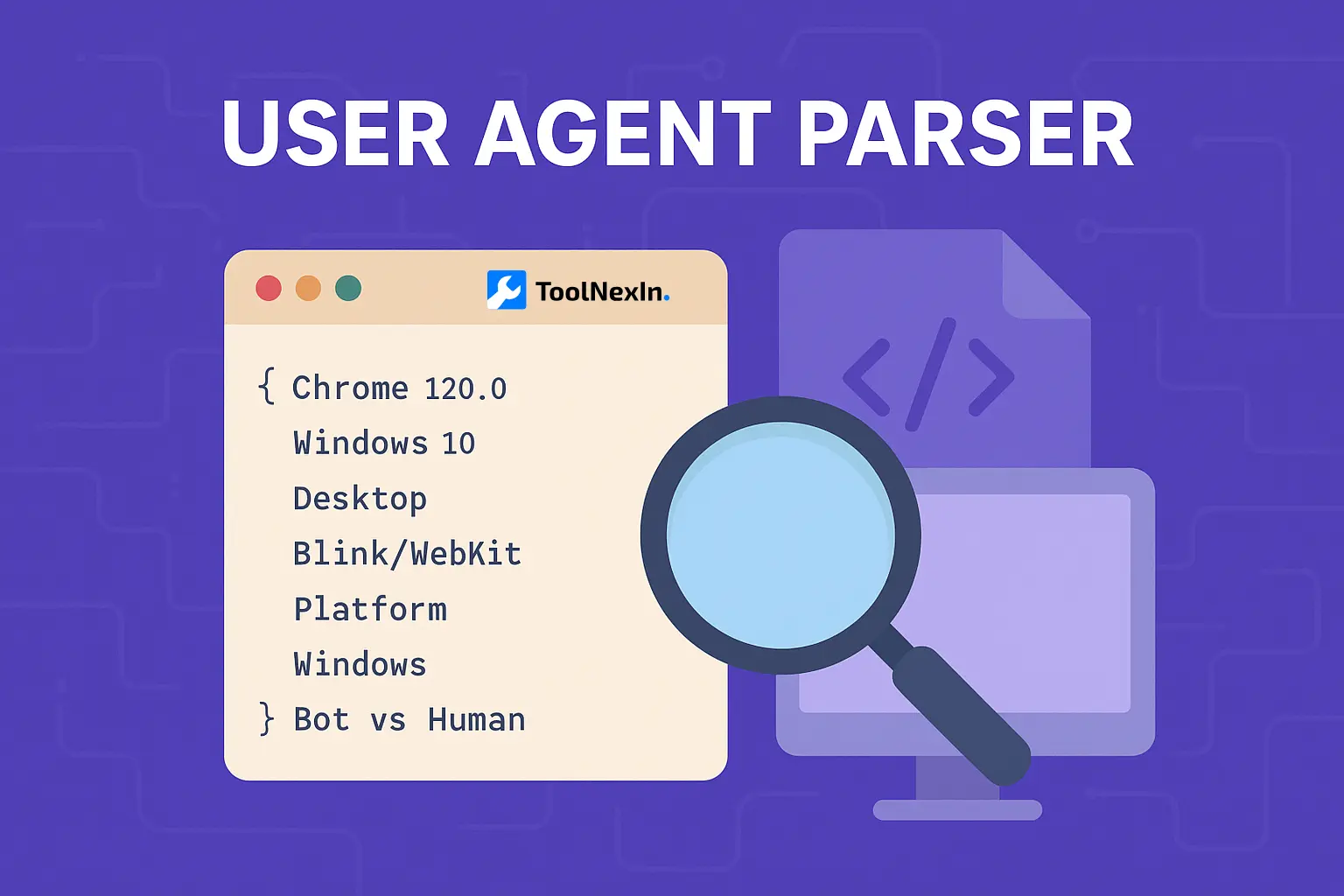
Think of the User Agent Parser as a helpful translator. It takes a long, confusing piece of text sent by your browser and quickly translates it into clear, simple details, such as:
- Your Browser’s Name: Like Google Chrome or Microsoft Edge.
- Your Browser’s Version: The specific update number you are using.
- The Operating System (OS): Windows, macOS, Android, or iOS.
- The Device Type: Is it a Phone, a Desktop, or a Tablet?
- The Engine: The hidden software that makes the page appear (like Blink or WebKit).
- The Platform: The main system your device runs on.
- Is it a Person or a Robot? The most important question for security!
If you are involved in building great websites, making them fast, looking at visitor data, or keeping them safe, knowing about User Agents is absolutely essential. In this comprehensive guide, we will break down the entire world of the User Agent Parser, explaining what the string of text means, why it’s so important, and how people in tech, marketing, and security use it daily.
What is a User Agent? It’s Your Browser's Name Tag
A User Agent is just a single line of text that your web browser sends to every website server the moment you click on a link or visit a page. It acts like an introduction or a digital name tag. It tells the website your browser’s name, the operating system it’s running on, the type of device you have, and sometimes the name of the software that draws the web page.
For instance, if you are using the Chrome browser on a Windows computer, the User Agent text might look long and confusing:
Mozilla/5.0 (Windows NT 10.0; Win64; x64) AppleWebKit/537.36 (KHTML, like Gecko) Chrome/120.0.0.0 Safari/537.36
But this one sentence tells the website everything it needs to know:
- The browser is Chrome, and it’s version 120.
- The OS is Windows 10 (Windows NT 10.0).
- It's a powerful 64-bit device.
- The page drawing software is Blink/WebKit.
Your browser automatically sends this User Agent with every single request it makes to the server. The server reads it immediately and uses this identity information to deliver the website in the best way possible for your specific setup.
What is a User Agent Parser? The Text Translator
A User Agent Parser is a simple online tool or a piece of software that takes that jumbled, complex User Agent text and quickly decodes it into easy-to-read, organized pieces of information.
Instead of trying to manually analyze the long, tricky string yourself, the parser does the work instantly. It pulls out structured details like:
- ✔ Browser Name (e.g., Firefox)
- ✔ Browser Version (e.g., 115.0)
- ✔ Operating System (e.g., macOS Ventura)
- ✔ Device Type (Desktop, Mobile, or Tablet)
- ✔ Device Model (The exact name of a mobile phone)
- ✔ Rendering Engine (The core drawing software)
- ✔ Platform (The main system: Linux, Windows, etc.)
- ✔ Bot or Human Detection (A vital security feature)
The best and most modern parsers can even tell the difference between typical human traffic and more specialized non-human visitors, such as:
- Hidden testing tools like Selenium.
- Programs designed to copy content from social media sites.
- The official robots from search engines (like Google's own crawler).
- Apps that aren't browsers but still access the web.
This decoding ability makes the parser incredibly useful for the people who build websites, the people who advertise, and the people who protect online security.
Why is Knowing the User Agent So Important? (Six Key Reasons)
User Agent Parsing is a backbone of the internet, making it work smoothly for everyone. Here are the top reasons websites absolutely depend on it:
1. Making Sure the Site Works Everywhere (Compatibility)
Every web browser handles things a little differently. Some older browsers might not support the newest code. Using a User Agent Parser, websites can instantly:
- Adjust the layout to look perfect on a small mobile screen, a big computer monitor, or a tablet.
- Load the right code (CSS and JavaScript) that is known to work on your specific browser.
- Prevent errors that might happen if a browser tries to use a feature it doesn't support.
For example, a moving graphic on a website might appear differently on an old version of Safari versus a new version of Chrome. The parser tells the website exactly which browser is connecting, allowing it to send the correct instructions.
2. Optimizing for Your Device (Speed and Efficiency)
We all want fast websites! The parser helps sites deliver content at the right size and quality for your device. A website might decide to:
- Send much smaller, lower-quality images to a mobile phone that might be on a slow cellular connection.
- Deliver huge, high-resolution pictures only to fast desktop computers.
- Turn off complex, battery-draining features on a mobile phone to keep it running smoothly.
This ensures a great, fast experience no matter what device you are using.
3. Understanding Who is Visiting (Analytics)
Knowing the details of your audience helps businesses grow and improve. Analyzing parsed User Agents helps sites:
- Figure out where things are slow: Seeing which browser/OS combinations take the longest to load pages.
- Plan future updates: Focusing effort on making the site perfect for the browsers most people use.
- Track mobile vs. desktop use accurately, which is vital for planning.
Many popular tools used to measure website traffic already use User Agent parsing behind the scenes to create their reports.
4. Security and Finding Sneaky Robots (Bot Detection)
A large amount of traffic on the internet isn't from people, it's from automated programs (bots). The parser is the first line of defense to spot and categorize:
- Fake User Agents (robots pretending to be real browsers).
- Data Scrapers (bots stealing content).
- Suspicious requests that often signal hacking attempts.
Even if a bad bot tries to lie and say it's "Chrome," a smart parser can often find small clues that reveal its true, automated nature.
5. Reviewing Activity and Fixing Problems (Logging)
When something on the website breaks, developers need to look at logs—the record of all activity. These logs become much, much easier to read and understand when the confusing User Agents are already translated into clean details. Developers can quickly see:
- "Which browser experienced this error just now?"
- "Which operating system keeps causing this problem?"
- "Are the slow loading times only happening on one specific kind of tablet?"
Parsed data allows for much faster and more accurate fixing of problems (debugging).
6. Special Content and A/B Testing (Personalization)
Websites often show different things to different users to see what works best (A/B testing) or to personalize the experience. The parser allows them to:
- Show a special mobile layout to phone users and a standard desktop layout to others.
- Run separate tests to see if a new design works better on Safari users than on Firefox users.
- Customize messages based on the device (e.g., "Get our App on the Apple Store" if they detect an iPhone).
How the User Agent Parser Does Its Magic
So, how does a simple piece of software translate that cryptic text? It uses a smart mix of techniques:
1. Pattern Matching (Finding the Code Words)
The basic way parsers work is through pattern matching. They use large lists of special search rules (often called Regex) to look for specific "code words" and numbers in the text:
- They look for /Chrome\/([0-9.]+)/ to spot the word "Chrome/" followed by its version number.
- They look for /Firefox\/([0-9.]+)/ to find the Firefox name and its version number.
These patterns are constantly updated to know the names of all the newest browsers and their specific version formats.
2. Device Databases (The Big Book of Devices)
To know the difference between a generic "mobile device" and a specific "Samsung Galaxy S24," advanced parsers use massive, regularly updated device databases. These lists help them match the small details in the User Agent text to specific information about:
- Exact phone models and brands.
- Specific tablets and gaming consoles.
3. Simple Logic Rules (Common Sense Checks)
Sometimes, the parser just uses straightforward "if/then" logic:
- Rule: If the text contains the word “iPad”, then the device is definitely a Tablet.
- Rule: If the string contains “Windows NT 10.0”, then the OS is set as Windows 10.
4. Machine Learning (AI for Tricky Bots)
The most advanced, professional parsers use Artificial Intelligence (AI) to handle the hardest cases. These systems are trained on millions of real and fake User Agents to become experts at spotting:
- Badly Formed or Fake User Agents: Strings that look suspicious or don't match any known browser’s structure.
- Subtle Bot Signatures: Identifying automated traffic even if the User Agent string itself has been cleverly disguised to look human.
Different Kinds of User Agents (A Traffic Jam)
The User Agent string changes quite a bit depending on who is visiting the site. A good parser must be able to recognize all these different types:
1. Standard Web Browsers (The Humans)
These are the most common and represent real people visiting the website.
Example: A person on Chrome using an Android Phone
Mozilla/5.0 (Linux; Android 12; SM-M325F) AppleWebKit/537.36 (KHTML, like Gecko) Chrome/118.0.5993.80 Mobile Safari/537.36
2. Search Engine Robots (The Indexers)
These are crucial, official programs that visit your site to understand your content so they can show it in search results.
Example: The Googlebot
Mozilla/5.0 (compatible; Googlebot/2.1; +http://www.google.com/bot.html)
3. Social Media Scanners
When you share a link on Facebook or X (Twitter), a small robot visits that link to grab the title and image for the preview card.
Example: Facebook’s Scanner
facebookexternalhit/1.1 (+http://www.facebook.com/externalhit_uatext.php)
4. Custom App Identities
If an app on your phone (like a messaging app or a banking app) pulls in web content, it often uses its own unique User Agent.
Example: An App on iOS
WhatsApp/2.23.10 iOS
5. Developer Tools and Clients
These are programs used by technical staff to test things; they aren't for browsing pages.
Examples:
PostmanRuntime/7.32.0 (A tool for testing APIs)
python-requests/2.31.0 (A common tool used by programmers)
A top-tier User Agent Parser can accurately identify and separate all these different types of visitors.
The Many People Who Use a Parser Daily
The User Agent Parser is a shared tool used by many different teams:
- ✔ Developers: They use it to quickly fix errors that only happen on specific types of phones or older browsers.
- ✔ SEO Specialists: They use it to make sure official search engine robots are visiting and indexing their sites correctly.
- ✔ Security Teams: They use it to spot and block known types of harmful or deceptive User Agents.
- ✔ Digital Marketers: They use the detailed device and OS information to better understand their customers and target ads effectively.
- ✔ Testers (QA): They use it to check that the site looks and works perfectly on every single device type listed in the parsed output.
- ✔ Bloggers and Site Owners: They use it to get a simple, clear understanding of what types of devices their readers are using.
The Convenience of an Online Parser
While most of the heavy parsing work happens on the server, developers and security analysts often need a quick check. That’s where an online User Agent Parser comes in:
- ✔ Instant Results: You don't have to wait or install any software.
- ✔ High Accuracy: The best online tools are constantly updated with the newest device models and bot patterns.
- ✔ Fast Debugging: It’s the simplest way to quickly translate a single, confusing string found in a website error log.
- ✔ Simple to Use: Just copy the text, paste it, and click "Check."
Breaking Down the User Agent Text (The Structure)
Every User Agent string generally follows a basic structure, even though the specific details change:
Mozilla/5.0 (Platform; OS; Device) Engine/Version Browser/Version
Let’s look at the pieces:
1. The Historical Starter: Mozilla/5.0
Almost every browser starts with this phrase. It’s a very old bit of code kept for compatibility with servers from the earliest days of the web. It essentially means, "I'm a modern browser and I can handle complex pages."
2. Platform and Operating System (OS)
This section clearly names the software controlling the device.
Examples:
- Windows NT 10.0 (Windows 10 or 11)
- Android 12
- Mac OS X 10_15_7
3. Device Information
This gives specific details about the hardware.
Examples:
- iPhone
- iPad
- Win64 (Tells you it’s a 64-bit computer)
4. The Rendering Engine
This is the name of the core program that takes the website's code and displays the pixels on your screen.
Examples:
- Gecko: Used by Firefox.
- WebKit: Used by Safari.
- Blink: Used by Chrome and the current version of Edge.
5. Browser Name and Version
This is the most important part—the name of the program you are actually using.
Examples:
- Chrome/120.0
- Firefox/115.0
Why We Still Need Parsers in 2025
You may hear that some browser makers (like Google) are planning to use something called Client Hints—a new, cleaner way to share device information. This is true, but the User Agent Parser is still vital because:
- Older Devices: Billions of old phones, browsers, and company systems will keep sending the classic, full User Agent string for years.
- Bots Rely On It: Official search engine crawlers and security systems are entirely built around the current User Agent format.
- Historical Logs: All the existing server log files contain only the User Agent string. To analyze past activity, you must have a parser.
The User Agent Parser is the essential tool that makes sure today’s modern websites work perfectly for everyone, past and present.
The Problems with User Agents
Parsing is challenging because the User Agent isn't always perfect:
- Lying (Spoofing): Bots often pretend to be a different browser to try and hide their identity or sneak past security filters.
- Inconsistency: Different browser companies might format their strings slightly differently, breaking simple pattern rules.
- Future Changes: Browsers are constantly changing what information they share, meaning parsers must always be updated to keep up.
To be reliable, any User Agent Parser tool must be actively managed and frequently updated with the latest patterns.
How the Parser Helps People Who Work in SEO
For experts who help websites rank high in Google (SEOs), the parser is a core tool:
- Identifying Real Bots: Confirming that the site is being visited by the real Googlebot and not a suspicious, fake crawler.
- Checking Site Indexing: Seeing the exact details of the robot that visited a page helps them figure out why a page might not be showing up in search results.
- Monitoring Activity: Keeping track of how often and how deeply search engine bots are crawling the site.
- Device Trends: Getting clean data on the split between mobile and desktop indexing traffic.
How to Easily Use a User Agent Parser Tool
Using an online parser is simple and quick:
Step 1: Copy the User Agent text string you need to examine. Step 2: Paste that entire string into the tool's input box. Step 3: Click the button that says "Parse" or "Check." Step 4: Read the detailed and clean output that instantly appears.
The tool will immediately show you the Browser, Version, OS, Device Type, and whether it’s a bot or a human visitor.
Real-Life Situations Where the Parser is Crucial
The User Agent Parser is the secret hero that solves problems every day:
- "My site is slow on old phones."
- Parser’s Role: You parse the older phone's User Agent string, see the exact, outdated version of the browser, and then you know exactly what code needs to be fixed.
- "My analytics numbers seem too high."
- Parser’s Role: You run your traffic logs through the parser, and it tags half of the traffic as "Bot/Scraper." You filter out the bots, and your real human visitor numbers become accurate.
- "Someone is trying to hack my password system."
- Parser’s Role: You look at the login attempts and parse the User Agents. You find agents like curl or other generic tool identifiers, confirming a non-human, automated attack that you can then block.
The Future: Structured Data (Client Hints)
Google’s new technology, User-Agent Client Hints, aims to replace the long, complicated User Agent string with structured, clear pieces of information. This is designed to improve user privacy.
But remember:
- Most devices and tools still use the old User Agent string.
- All existing server systems and log files rely on the old format.
- Parsers will adapt to handle both the old and the new information formats.
The User Agent Parser will remain an important tool even as technology evolves.
Conclusion: Your Key to Digital Understanding
The User Agent Parser is a powerful and necessary tool for everyone working on the web. It takes a complex, coded message and instantly turns it into clear, meaningful information about browsers, devices, and operating systems.
Whether your job is to make the user experience better, find and fix problems, understand your visitor data, or defend your site from bots, the User Agent Parser provides the intelligence you absolutely must have.
If you are looking for a quick, accurate, and free way to decode these essential digital fingerprints, online tools like ToolNexIn make the job simple and effective.
Other Handy Tools on ToolNexIn (Your Web Toolkit)
While User Agent Parsing is essential for understanding your visitors, you likely need other simple, fast tools to handle day-to-day web tasks. At ToolNexIn, we offer a full suite of utilities to make your life easier. Here are some of the other popular tools you can use right now:
Developer & Data Tools
- JSON Formatter: If you've ever dealt with confusing, messy code data (called JSON), this tool instantly cleans it up and makes it easy to read. It's a lifesaver for developers working with web APIs.
- CSV to JSON Converter: Have data in a spreadsheet format (CSV) but need to use it in a web application? This tool quickly converts that spreadsheet data into the structured JSON format, ready for immediate use.
Connectivity & Identity Tools
- IP Lookup: Need to quickly find out where a specific network connection is coming from? This tool helps you look up an IP address and see the general geographic location and internet service provider associated with it.
- Readability Score Checker: This is great for marketers, bloggers, and content writers! Paste your text, and this tool analyzes how easy it is for a typical person to read and understand your content. It helps you keep your writing clear and engaging.
Marketing & Utility Tools
- URL Shortener: Got a long, complicated link? Use this tool to create a short, clean, and professional link that is perfect for sharing on social media, in emails, or in print materials.
- QR Code Generator: Need to link the real world to the digital world? This tool lets you instantly create a QR code that people can scan with their phone, perfect for linking to your website, menu, or a specific marketing campaign.
These tools, along with the User Agent Parser, make ToolNexIn your essential one-stop shop for quick, accurate web utilities!