Introduction: That Weird String of Letters Is Not Random
You've seen it before. You're inspecting an API response, a JWT token, or an email header and there it is — a long string of random-looking characters ending in one or two equal signs:
eyJ1c2VyIjoicmFodWwiLCJyb2xlIjoiYWRtaW4ifQ==It's not encrypted. It's not compressed. It's not gibberish. It's Base64 — and once you understand what it is and why it exists, you'll start seeing it everywhere.
This guide covers everything: what Base64 actually does under the hood, where developers use it in the real world, the difference between Base64 and encryption (a misconception that causes real security holes), and how to encode or decode any string in seconds using a proper tool.
What Is Base64, Really?
Base64 is a way to represent binary data — bytes, images, files — using only 64 plain, printable text characters. Those characters are:
- Uppercase letters: A–Z (26)
- Lowercase letters: a–z (26)
- Digits: 0–9 (10)
- Two symbols:
+and/(2)
Total: 64 characters. Hence the name.
The core idea is simple: computers work in binary (bytes), but many systems — email servers, URLs, HTTP headers, JSON payloads — are designed to carry only plain text. Binary data doesn't survive those channels cleanly. Base64 solves that by converting binary into a safe, text-only format that travels anywhere without corruption.
How the Conversion Works
Base64 takes every 3 bytes of input and converts them into 4 text characters. This is the mechanics:
- Take 3 bytes = 24 bits
- Split into four 6-bit groups
- Map each 6-bit group to one of the 64 Base64 characters
Example:
| Input | Bytes | Binary |
|---|---|---|
Man |
77, 97, 110 | 01001101 01100001 01101110 |
Split into 6-bit groups: 010011 010110 000101 101110
Which maps to: T, W, F, u → TWFu
This is why Base64 output is always 33% larger than the original — three bytes become four characters.
What About Padding?
If your input isn't a multiple of 3 bytes, Base64 adds = signs at the end to pad the output to a multiple of 4 characters. One = means one byte of padding was added, == means two. This is purely structural — it tells the decoder how many real bytes are at the end.
Base64 Is Not Encryption — This Matters More Than You Think
This is the most important thing in this entire guide.
Base64 is encoding, not encryption. Anyone — any person, any machine, any tool — can decode a Base64 string instantly without a key, without a password, without anything. There is zero security involved.
Why does this matter? Because developers regularly make this mistake:
{
  "Authorization": "Basic cmFodWw6bXlwYXNzd29yZA=="
}
That Base64 string decodes to rahul:mypassword in about half a second. If you think Base64 is hiding your credentials, it is not. HTTP Basic Auth transmits credentials in plain sight — the only real protection is HTTPS encrypting the entire connection.
Other places where this mistake gets made:
- Storing Base64-encoded passwords in a database (useless — they're instantly reversible)
- "Obfuscating" sensitive config values with Base64 (false security)
- Sending Base64-encoded API keys in logs thinking they're safe
If you need actual security, use proper encryption (AES, RSA) or a one-way hash like SHA-256. For password storage specifically, use bcrypt or Argon2.
Need to hash data properly? Use the SHA256 Hash Generator on ToolNexIn — that's one-way, irreversible, and actually secure.
Where Developers Actually Use Base64
This is where it gets interesting. Base64 isn't just a curiosity — it's embedded in systems you use every day.
1. JWT Tokens (JSON Web Tokens)
Every JWT token is three Base64url-encoded parts separated by dots:
eyJhbGciOiJIUzI1NiJ9.eyJ1c2VyIjoicmFodWwifQ.abc123signatureDecode the first part: {"alg":"HS256"} — that's the header. Decode the second part: {"user":"rahul"} — that's the payload.
The third part is the signature — it's cryptographically signed, which is where the actual security lives. The first two parts are just Base64url-encoded JSON. They're readable by anyone. Never put sensitive data in a JWT payload without additional encryption.
Real use case: You're debugging an authentication issue and your API keeps returning 401. Paste the JWT into the ToolNexIn Base64 Encoder/Decoder and decode the payload — you'll immediately see if the token contains the wrong user ID, an expired timestamp, or a missing role claim.
2. Embedding Images in HTML and CSS (Data URIs)
Instead of linking to an external image file, you can embed the image directly in your HTML or CSS using a Base64 data URI:
<img src="data:image/png;base64,iVBORw0KGgoAAAANSUhEUg..." />Or in CSS:
.icon {
  background-image: url("data:image/svg+xml;base64,PHN2ZyB4...");
}
When this makes sense: Small icons, inline SVGs, email templates where external images get blocked. The image loads instantly with the page — no separate HTTP request.
When this is a bad idea: Large images. Base64 adds 33% to file size, and embedded images can't be cached by the browser separately. Use it for assets under ~5KB.
The ToolNexIn Base64 Encoder supports image-to-Base64 conversion and gives you the ready-made
<img>tag, CSSbackground, andurl()snippet — paste and ship.
3. HTTP Basic Authentication
Every time you call an API with HTTP Basic Auth, your credentials travel as a Base64-encoded string in the Authorization header:
Authorization: Basic cmFodWw6cGFzc3dvcmQxMjM=Decoded: rahul:password123
The format is always username:password encoded in Base64. Again — this is not security. The only thing making Basic Auth acceptable at all is HTTPS encrypting the entire request. Without HTTPS, your credentials are transmitted in a format anyone can decode in seconds.
4. Email Attachments (MIME Encoding)
Email was designed purely for ASCII text. When you attach a PDF or an image to an email, your email client encodes the binary file in Base64 and wraps it in a MIME envelope. The receiving client decodes it back.
This is why if you've ever viewed raw email source, you see giant walls of Base64 text that make no sense until decoded. That's your PDF, your photo, your spreadsheet — all Base64-encoded for safe transit through text-only email infrastructure.
5. PEM Certificates and SSH Keys
Open any SSL certificate or SSH private key file and you'll see:
-----BEGIN CERTIFICATE-----
MIIDXTCCAkWgAwIBAgIJAJC1HiIAZAiIMA0GCSqGSIb3DQEBCwUAMEUxCzAJBgNV
...
-----END CERTIFICATE-----
Between those header and footer lines is Base64-encoded binary data — the actual certificate in DER (Distinguished Encoding Rules) format. PEM is just DER + Base64 + header/footer lines. Same pattern for SSH public and private keys.
6. API Payloads with Binary Data
Some APIs need to accept binary data — a file upload, an image, a PDF — but the API itself is JSON-based. Since JSON doesn't support raw binary, the binary is Base64-encoded and sent as a string field:
{
  "filename": "invoice.pdf",
  "content": "JVBERi0xLjQKJeLjz9MKM...",
  "encoding": "base64"
}
You'll see this pattern in email APIs (SendGrid, Mailgun), document processing APIs, and image recognition APIs.
Standard Base64 vs URL-Safe Base64 (Base64url)
Standard Base64 uses + and / in its alphabet. Problem: both characters have special meaning in URLs. A + in a URL means a space. A / is a path separator.
If you put a standard Base64 string in a URL query parameter, it breaks.
URL-safe Base64 (Base64url) solves this by swapping:
+→-/→_=padding is usually dropped entirely
This variant is defined in RFC 4648 Section 5 and is what JWT tokens use. If you're passing Base64 data in a URL, query string, filename, or HTTP header, always use Base64url — not standard Base64.
Example:
| Standard Base64 | URL-safe Base64 |
|---|---|
aGVsbG8+d29ybGQ= |
aGVsbG8-d29ybGQ |
The ToolNexIn Base64 Encoder has a URL-safe toggle built in — one click switches between standard and Base64url output.
MIME Base64 and Line Breaks
Standard Base64 produces one continuous string. MIME encoding (used in emails, defined in RFC 2045) adds a line break every 76 characters. This was necessary for older email systems with line-length limits.
If you're generating Base64 for email attachments or MIME multipart messages, you need MIME-formatted Base64 with line breaks. For everything else — JWT, data URIs, API payloads — use continuous Base64 without breaks.
How to Encode and Decode Base64 Online
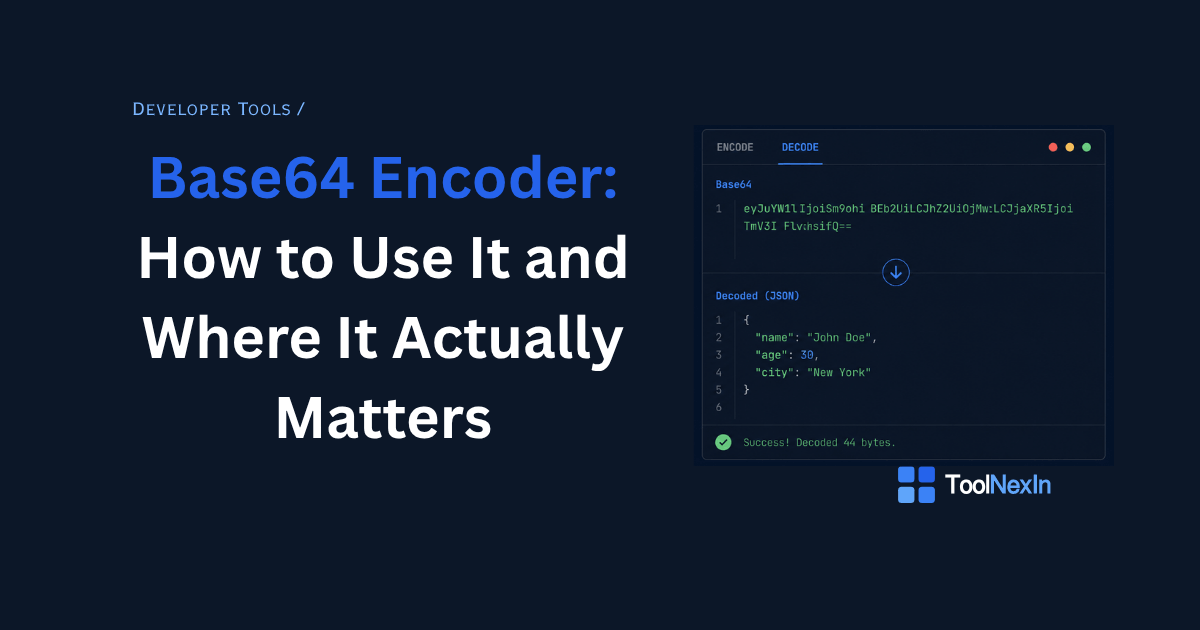
Using the ToolNexIn Base64 Encoder/Decoder:
To encode text to Base64:
- Paste your text in the input box
- The tool auto-detects it as plain text and encodes it instantly
- Copy the Base64 output
To decode Base64 to text:
- Paste your Base64 string
- The tool auto-detects it as Base64 and decodes it
- Read the plain text output
To encode an image:
- Switch to the Image tab
- Drop your PNG, JPG, SVG, or WebP file
- Get the Base64 data URI plus ready-made HTML/CSS snippets
To encode any file:
- Switch to the File tab
- Drop any file type
- Get the Base64 data URI for use in APIs or storage
Everything runs in your browser. Your data never leaves your device.
Common Base64 Mistakes and How to Fix Them
Using Standard Base64 in a URL
Standard Base64 with + and / breaks URLs. Always use URL-safe Base64 (Base64url) when the output will appear in a URL, query string, or filename.
Confusing Base64 with Encryption
As covered above — Base64 is instantly reversible. Never use it to protect sensitive data.
Forgetting UTF-8 Encoding
If your input contains non-ASCII characters — accents, Chinese characters, emoji — naive Base64 tools produce wrong output. Proper encoding goes UTF-8 first, then Base64. The ToolNexIn tool handles this correctly for any language and any emoji.
Wrong Padding
Some systems strip the = padding from Base64 strings. If you paste a Base64 string and get a decode error, try adding = signs at the end until the length is a multiple of 4. Or use a tool that handles missing padding automatically.
Mixing Standard and URL-safe Base64
Standard Base64 and Base64url are not interchangeable. If you encode with one variant and decode with the other, you get garbled output. Know which variant your system expects and be consistent.
Base64 and JSON: A Common Pairing
Base64 and JSON appear together constantly in developer workflows:
- A JWT token is Base64url-encoded JSON
- API payloads use Base64-encoded binary inside JSON strings
- Webhook signatures Base64-encode HMAC hashes for verification
- Config files sometimes Base64-encode secrets to avoid YAML/JSON special character issues
A common debugging pattern: you receive a JSON API response containing a Base64-encoded field, decode it with the Base64 Decoder, then format the decoded JSON with the JSON Formatter to read it properly.
Both tools back to back:
- Base64 Encoder / Decoder — decode the field
- JSON Formatter — format the decoded JSON
Base64 and URLs: Another Common Pairing
Sometimes Base64 strings appear inside URLs — as query parameters, path segments, or redirect tokens. When they do, they need to be URL-encoded first, or use the Base64url variant.
If you receive a URL with encoded data you can't read:
- URL-decode it first → URL Encoder/Decoder on ToolNexIn
- Then Base64-decode the result → Base64 Encoder/Decoder
Frequently Asked Questions
Q: Is Base64 the same as encryption?
No. Base64 is encoding — it's completely reversible by anyone with no key or password. It provides zero security. For real protection, use AES encryption or a hash like SHA-256.
Q: Why does Base64 output end with = or ==?
The = signs are padding. Base64 encodes 3 bytes into 4 characters. If your input isn't a multiple of 3 bytes, padding fills the gap. One = means one padding byte, == means two.
Q: Why is Base64 output 33% larger than the input?
Because 3 bytes (24 bits) become 4 characters (4 × 6 bits). You're using 4 bytes to represent 3 — a 33% overhead. This is the fundamental trade-off of Base64.
Q: What is the difference between Base64 and Base64url?
Standard Base64 uses + and /. Base64url (URL-safe) replaces them with - and _ so the output is safe in URLs, filenames, and HTTP headers. JWT tokens use Base64url.
Q: Can Base64 handle emoji and non-English characters?
Yes — if the tool correctly encodes through UTF-8 first. Naive implementations break on accented characters, Arabic, Chinese, Japanese, or emoji. The ToolNexIn Base64 tool handles all of these correctly.
Q: Should I use Base64 for large images?
No. Base64 adds 33% to file size and embedded images can't be browser-cached separately. Use Base64 data URIs only for very small assets (icons under 5KB). For anything larger, serve the image as a separate file.
Q: Is it safe to paste sensitive data into an online Base64 tool?
With ToolNexIn — yes. All processing happens locally in your browser. Nothing is sent to any server. Your data stays on your device.
Conclusion: Base64 Is Everywhere Once You Know Where to Look
JWT tokens. Email attachments. SSL certificates. Inline images. API file uploads. HTTP authentication. Base64 is quietly doing the work in nearly every system developers touch.
Understanding it — not just that it exists, but why it works the way it does, where it fits, and critically where it does not provide security — makes you faster at debugging, better at building integrations, and less likely to ship a real security hole by accident.
→ Encode or Decode Base64 Instantly on ToolNexIn No signup. No data sent to any server. Auto-detects encode vs decode. Handles images, files, emoji, and URL-safe output.
Related Tools on ToolNexIn
- JSON Formatter
- URL Encoder / Decoder
- SHA256 Hash Generator
- MD5 Hash Generator
- Password Generator
- UUID Generator
- UTM Builder
Written by Rahul Soni, Founder & Developer at ToolNexIn.