You've probably heard someone say, "That website has been around for 10 years — it must be legit."
That feeling has a name in the SEO world: domain age.
In this guide, we'll break down what domain age actually means, how it's calculated, why people care about it for SEO, and how you can check it for free — for any domain, in seconds.
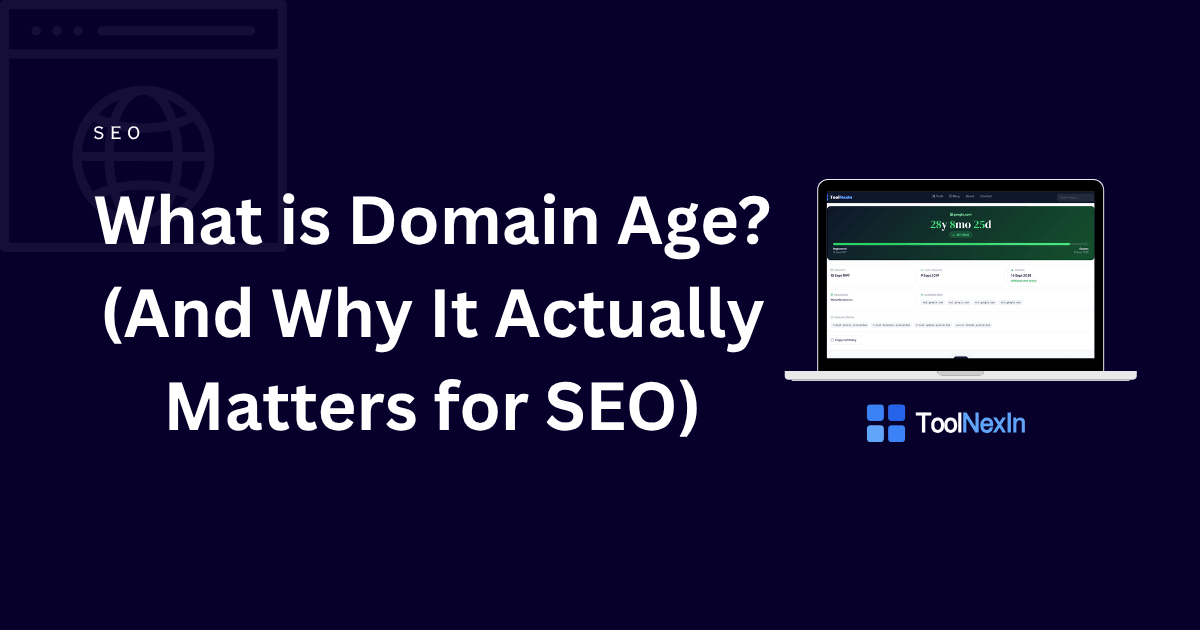
What is Domain Age?
Domain age is simply how long a domain name has been registered — measured from the day it was first created to today.
For example, if example.com was registered on 1st January 2015, and today is June 2026, then the domain age is 11 years and 5 months.
That's it. Nothing complicated.
You can check the exact age of any domain using our free Domain Age Checker — no signup, no cost, results in seconds.
Domain Age vs Website Age — They're NOT the Same
This is where most people get confused.
| Domain Age | Website Age | |
|---|---|---|
| What it means | How long the domain name has been registered | How long a live website has been running at that address |
| Where it comes from | WHOIS / RDAP registry records | Web archives (like Wayback Machine) |
| Can they differ? | Yes, often by years | Yes |
Real example: Someone buys coolstartup.com in 2010 but doesn't actually build a website on it until 2023. The domain age is 15+ years, but the website age is barely 2 years.
So a domain being "old" doesn't automatically mean the website is old or trustworthy. But it's still a useful signal — more on that below.
How is Domain Age Calculated?
Domain age is calculated from the creation date stored in the domain's WHOIS or RDAP record.
WHOIS (and its modern replacement, RDAP) is basically a public database that stores information about every registered domain — who registered it, when, when it expires, and who the registrar is.
When you use the Domain Age Checker, it pulls this data directly from official registry servers — so the date you see is the real one, not a guess.
The exact age is then shown in years, months, and days. The tool also classifies the domain into one of these stages:
- New — Under 6 months
- Young — 6 months to 1 year
- Growing — 1 to 3 years
- Mature — 3 to 7 years
- Established — 7 to 15 years
- Veteran — 15+ years
Does Domain Age Affect SEO?
Okay, the big question.
Short answer: Google says it's not a direct ranking factor. But there's more to the story.
John Mueller from Google has publicly said that domain age alone doesn't give you a ranking boost. A brand-new domain can rank on page 1 if the content and backlinks are good enough.
But here's the catch: older domains tend to perform better because of what usually comes with age:
- More backlinks built over the years
- More content published and indexed
- More trust signals established with Google
- More brand searches over time
Think of it like this: a restaurant that's been open for 10 years has had time to collect reviews, regulars, and word-of-mouth. A new restaurant might have better food, but it hasn't had time to earn that trust yet.
So domain age itself doesn't move your rankings — but everything that tends to grow with an older domain does.
When Does Domain Age Actually Matter?
Even if it's not a direct ranking factor, domain age is genuinely useful in several situations:
1. Buying an Expired or Used Domain
Before you invest in buying an old domain, always check its age and history. An older domain might come with years of backlinks — or years of spam penalties. Checking the creation date is step one.
Use the Domain Age Checker to verify the creation date and expiry before spending money.
2. Competitor Research
Want to understand why a competitor is ranking so well? Their domain age is one piece of the puzzle. If they registered their domain in 2008 while yours is from 2023, they've had 15 extra years to build authority.
Pair the domain age check with our IP Lookup and Domain to IP tools to get a fuller picture of their infrastructure.
3. Checking If a Site is Legit
When you land on an unfamiliar website and want to know if it's trustworthy, checking the domain age is a quick sanity check. A site claiming to be a "trusted brand since 2005" but with a domain registered in 2024? That's a red flag.
4. SEO Audits for Clients
If you're an SEO freelancer or agency running audits, domain age is standard data to include in your report. Our Bulk Domain Age Checker lets you check up to 20 domains at once and export the results to CSV — saves a lot of manual work.
What Else Does the Domain Age Checker Show?
Beyond the age, our Domain Age Checker gives you a full domain profile:
- Creation date — the exact date the domain was first registered
- Expiry date — when the registration runs out (with a colour-coded warning if renewal is near)
- Registrar — who the domain is registered with (e.g., GoDaddy, Namecheap, Google Domains)
- Nameservers — where the DNS is pointed
- Domain status flags — technical status codes from the registry
- Lifecycle progress bar — a visual showing where the domain is in its current registration period
All of this from a single free lookup — no account needed.
Why Some Domains Show No Data
You might check a domain and get no creation date. That happens because:
- Some country-code TLDs (like
.gov.inor.mil) don't publish registration data publicly - Some registrars enable WHOIS privacy protection, which hides the registrant's details (though the creation date usually still shows)
- Very rarely, a registry simply doesn't support RDAP or WHOIS lookups
This isn't a bug — it's just a limitation of what the registry makes publicly available.
Quick Tip: Can a Domain's Age Reset?
Yes, in one specific case.
If a domain expires and gets re-registered by a new owner, the registry may reset the creation date to the new registration date. So a domain that was originally registered in 2005, expired in 2020, and got re-registered in 2021 might now show a creation date of 2021.
Transfers between owners (without expiry) typically keep the original creation date.
TL;DR — The Key Takeaways
- Domain age = time since the domain was first registered
- It's different from website age — a domain can be old while the site is brand new
- Google doesn't use it as a direct ranking factor, but older domains often have stronger SEO signals built up over time
- It's useful for buying expired domains, competitor research, legitimacy checks, and SEO audits
- You can check any domain's age for free at toolnexin.com/domain-age-checker
Related Tools on ToolNexIn
While you're here, these tools pair well with the Domain Age Checker:
- IP Lookup — Find the location and ISP behind any IP address
- Domain to IP — Resolve any domain to its IP address instantly
- Link Preview Extractor — See how any URL looks when shared on social
- Readability Score Checker — Score your content before publishing
Have a question about domain age or WHOIS? Contact us — we'd love to help.